
FF-CRM: Staff and Owner Guide
The study-abroad desk that also does the work
1 · Sign in: FF-CRM has its own door
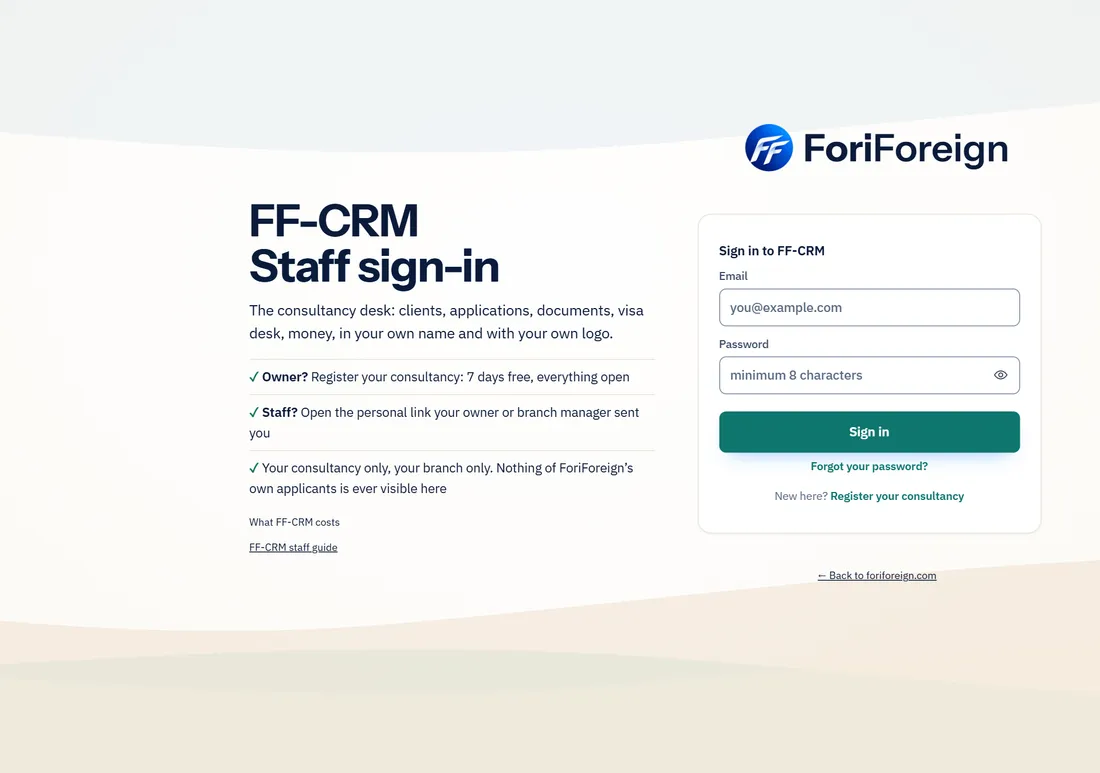
- Staff sign in at foriforeign.com/crm, not in the applicant app. The two have separate sign-ins: being signed in to one never signs you in to the other.
- An owner registers the consultancy with Register your consultancy; staff join with the personal link the owner sends them.
- The applicant app never shows FF-CRM, not even to ForiForeign’s own admins.
2 · The dashboard
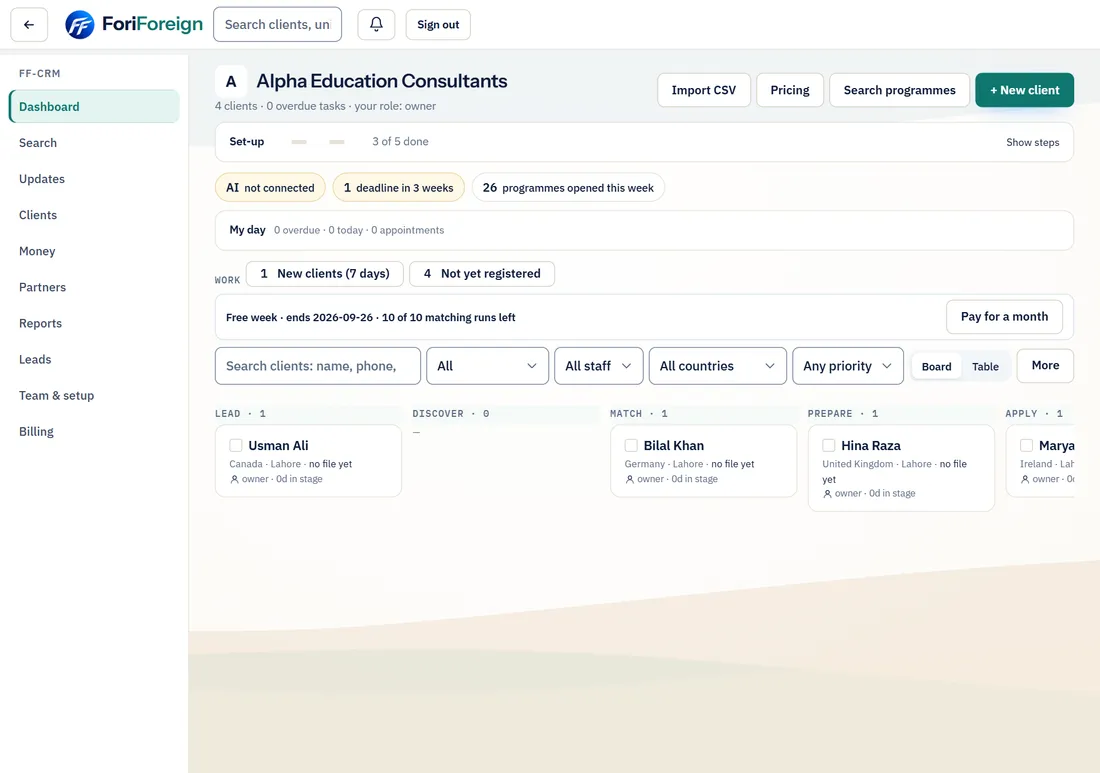
- One line shows your free week or plan, with Pay for a month. The board shows every client by stage; press a client to open their file.
- Filters: All, staff, country, priority, and Board or Table. The side menu: Dashboard, Search, Updates, Clients; owners and managers also see Money, Partners, Reports, Leads, Team & setup and Billing.
3 · Search programmes at the counter
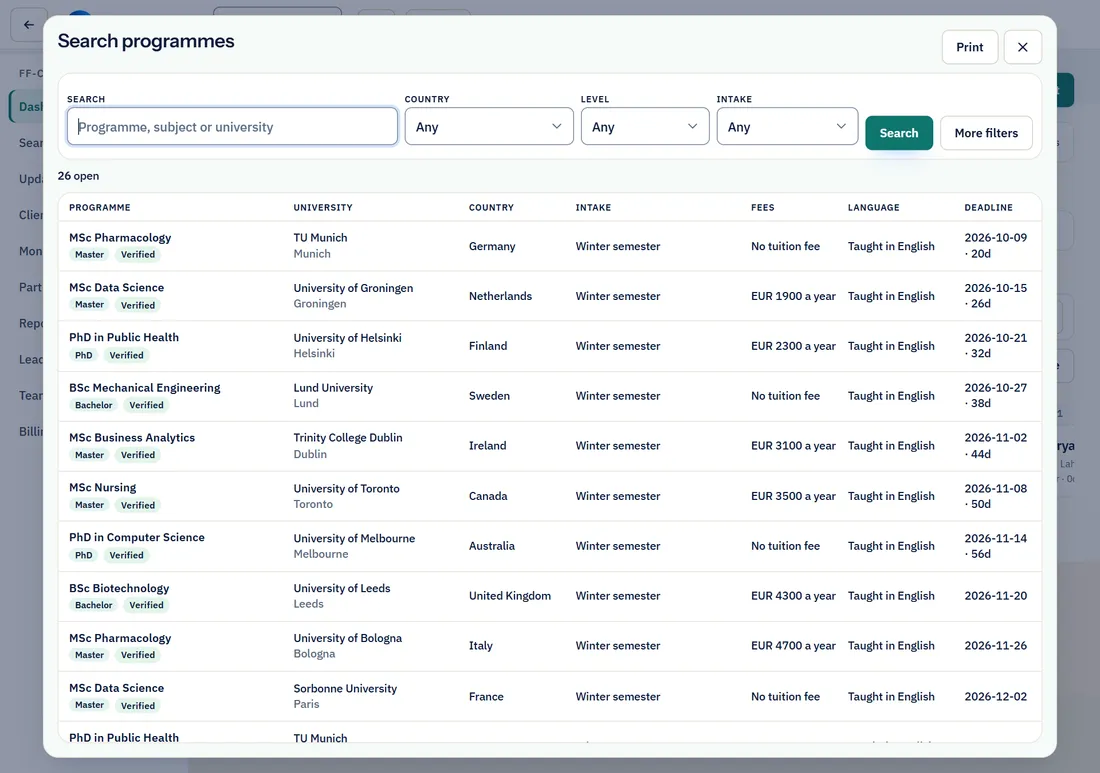
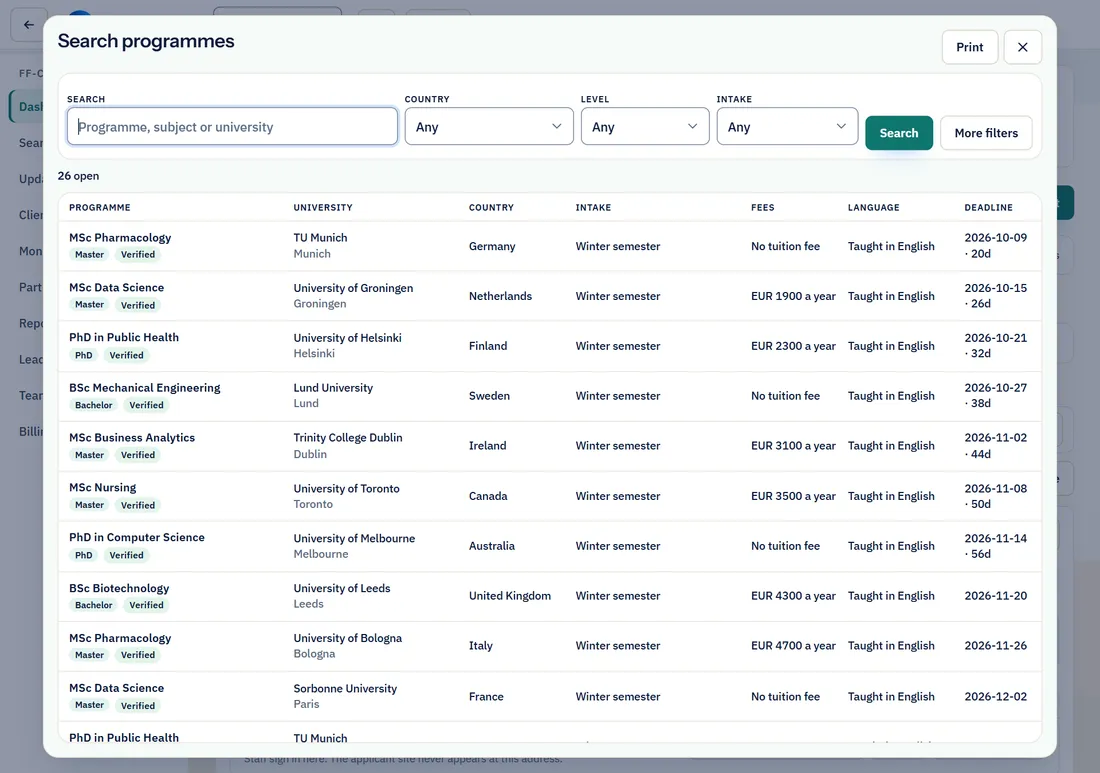
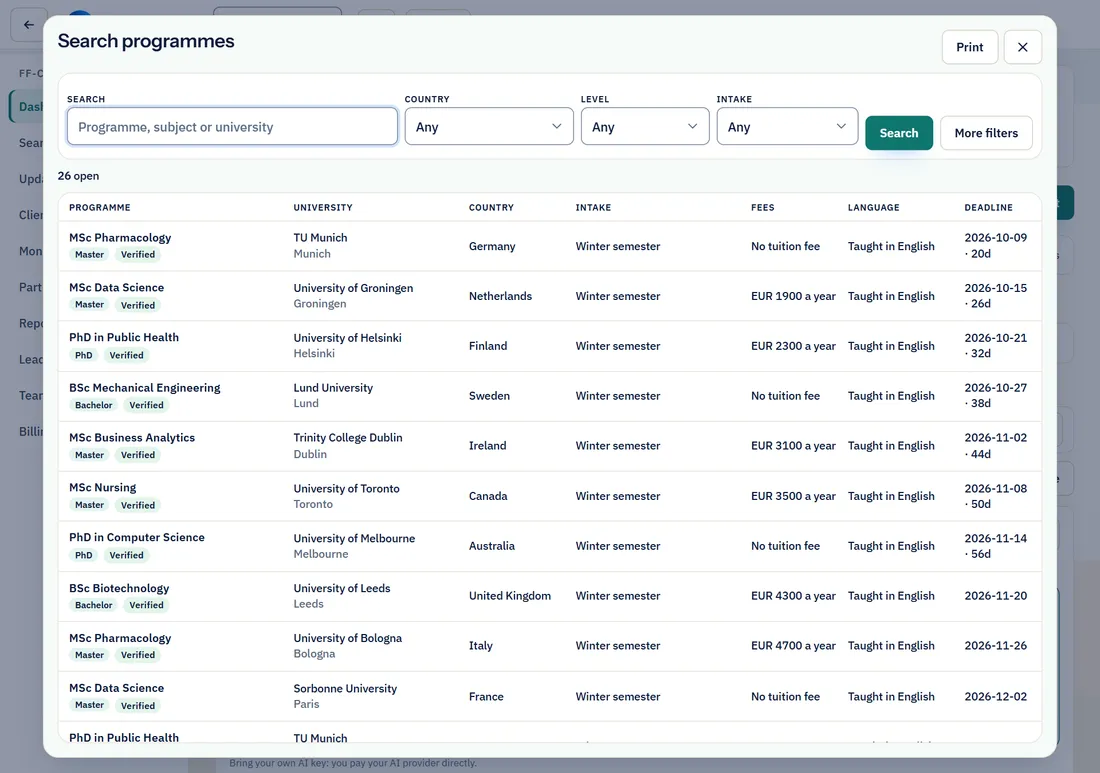
- Press Search programmes. Filter by country, level, intake, fees, language and more with More filters; print a list with Print.
- Every university has its own sheet: programmes, its profile, its own pages, the country’s visa facts and official portals.
4 · Clients
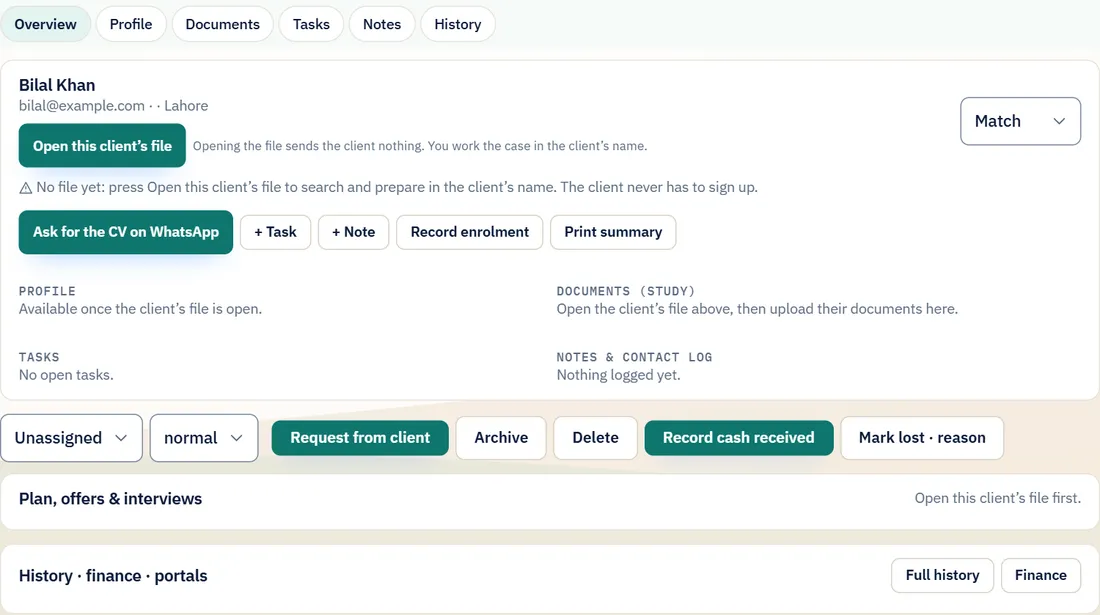
- Add a walk-in with + New client. Press Open this client’s file to search and prepare in the client’s name; the client never has to sign up.
- Ask for the CV with Ask for the CV on WhatsApp. Keep work visible with + Task and + Note; take cash at the counter with Record cash received and print the receipt.
- Share progress with the student: Status link for the client gives a private page and a tracking sign-in. A student in FF-CRM never applies himself: staff apply, the student follows.
5 · Best matches and each case
- Press Best matches for the client’s best matches and Client summary for a printed page.
- Each case shows the same Main Pipeline the student would see: one Case ID, PRE-ADMISSION and POST-ADMISSION, each requirement and fee on its own line.
- Press Approve and send › to open that case on the client’s screen and send it from the client’s address; Work this case for the client › to upload, prepare reference letters and record fees on their behalf.
6 · Updates
- Updates on the rail and the strip above the board: student-visa and policy changes with their source, programmes opened this week, deadlines inside three weeks.
7 · Money and partners
- Money, Partners and Reports are for the owner and managers. A consultant records a payment received and prints the receipt, and nothing else in the books.
- Add partner universities and their commission terms under Partners; record an enrolment with Record enrolment.
8 · Team, branches and brand
- Team & setup: add staff with + Add staff and send each their link. Upload your logo and set your colours.
- Each branch may have two sub-branches free (a front desk and a visa desk, say); the third counts as a branch.
- Your data: Export everything at any time. The owner can Close this consultancy by typing its name: everything is kept for 30 days and can be reopened, then removed. Staff can Leave this consultancy.
9 · Billing
- FF-CRM is one package per consultancy a month, with each extra branch at its own monthly price. Pay by card (Safepay) with Pay for a month; the month opens the moment the payment is confirmed.
- The free week has 10 matching runs; the button shows how many are left. When the free week ends, searching and changes pause; everything stays readable and exportable.
10 · Support
- Help in the workspace opens this guide and the FAQs. Write to support creates a ticket for your owner first, and for ForiForeign when you mark it for us. E-mail: admin@foriforeign.com.
Questions
Can ForiForeign see my clients?
Masked by default. You can grant support access for a set number of hours; it is logged.
Can we add a person who already has a ForiForeign account?
No. FF-CRM is for clients you bring; the platform never links them.
Who collects the client's fees?
You do. FF-CRM records; it never moves your money.
How much does FF-CRM cost?
USD 49 a month per consultancy, plus USD 19 a month for each additional branch. Bring your own AI key; you pay your AI provider directly.
Does FF-CRM cover remote work?
No. FF-CRM is for study abroad only, and so is ForiForeign.
Can branch staff see or change the AI key?
No. The owner connects one key; branches use it and never see it.
Can staff see other branches?
Only owners and managers; consultants and sub-agents see their own scope.
What happens when the plan lapses?
Three days of grace, then the workspace pauses; clients and files are kept.
Why do I sign in again at /crm?
FF-CRM has its own door and its own sign-in, separate from the applicant app, so a consultancy’s work and a student’s own account never mix.
Can a student apply by himself?
No. In FF-CRM the consultancy prepares and sends every application. The student follows each one on his private status page.
Who can record money?
The owner and managers record every kind of line. A consultant can record a payment received and print its receipt, and nothing else.